21% off
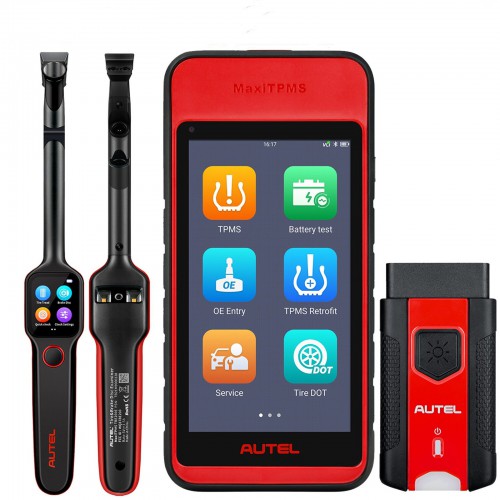


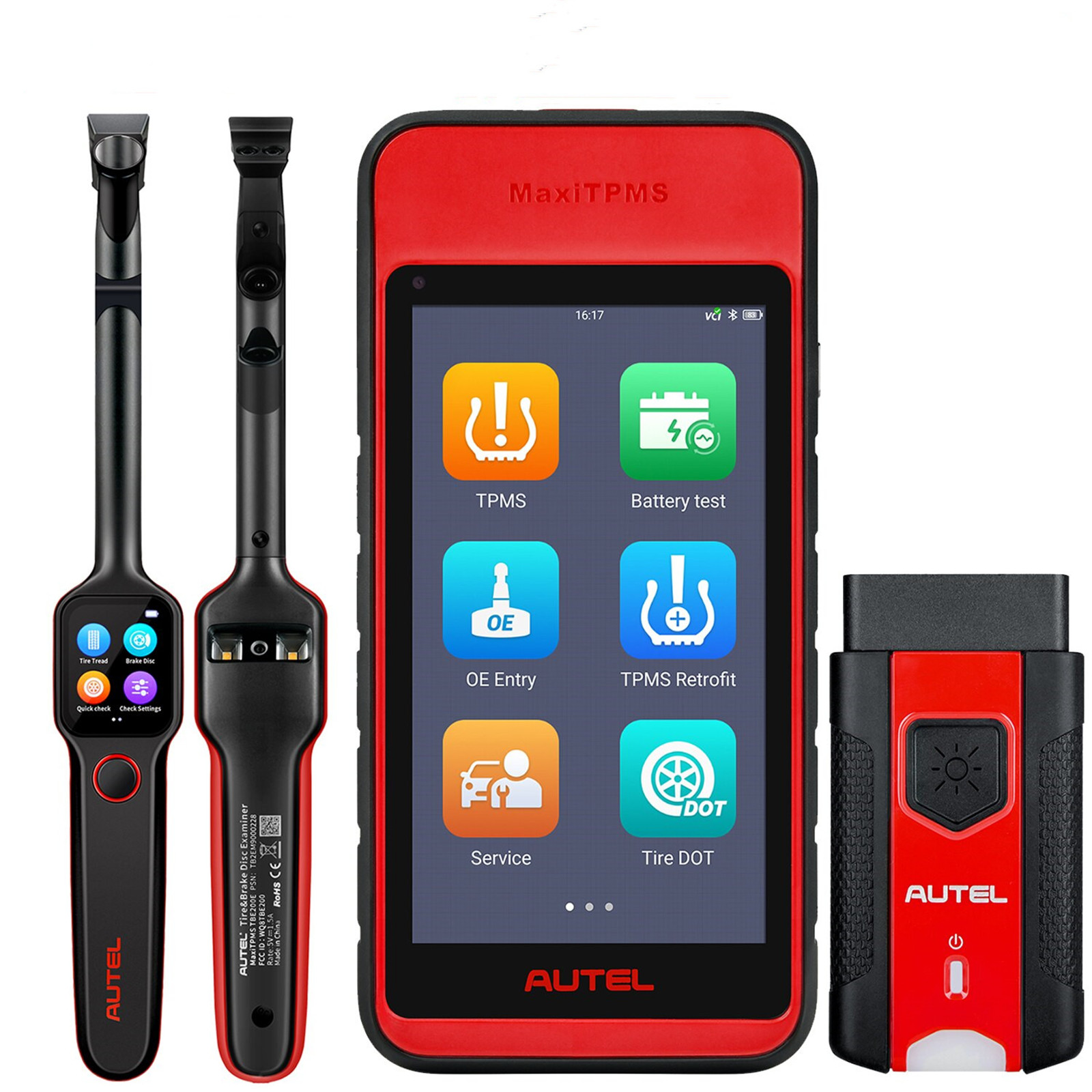
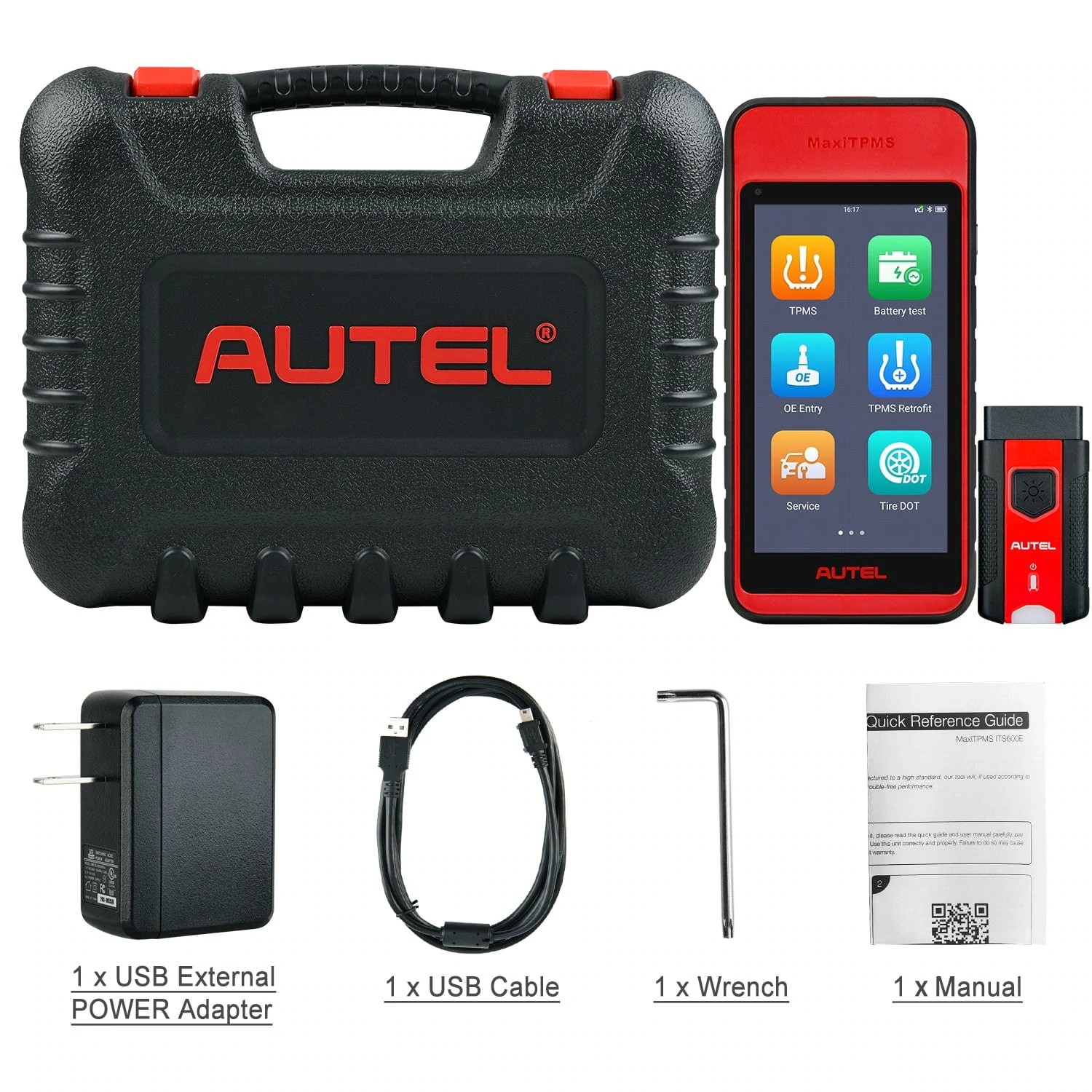
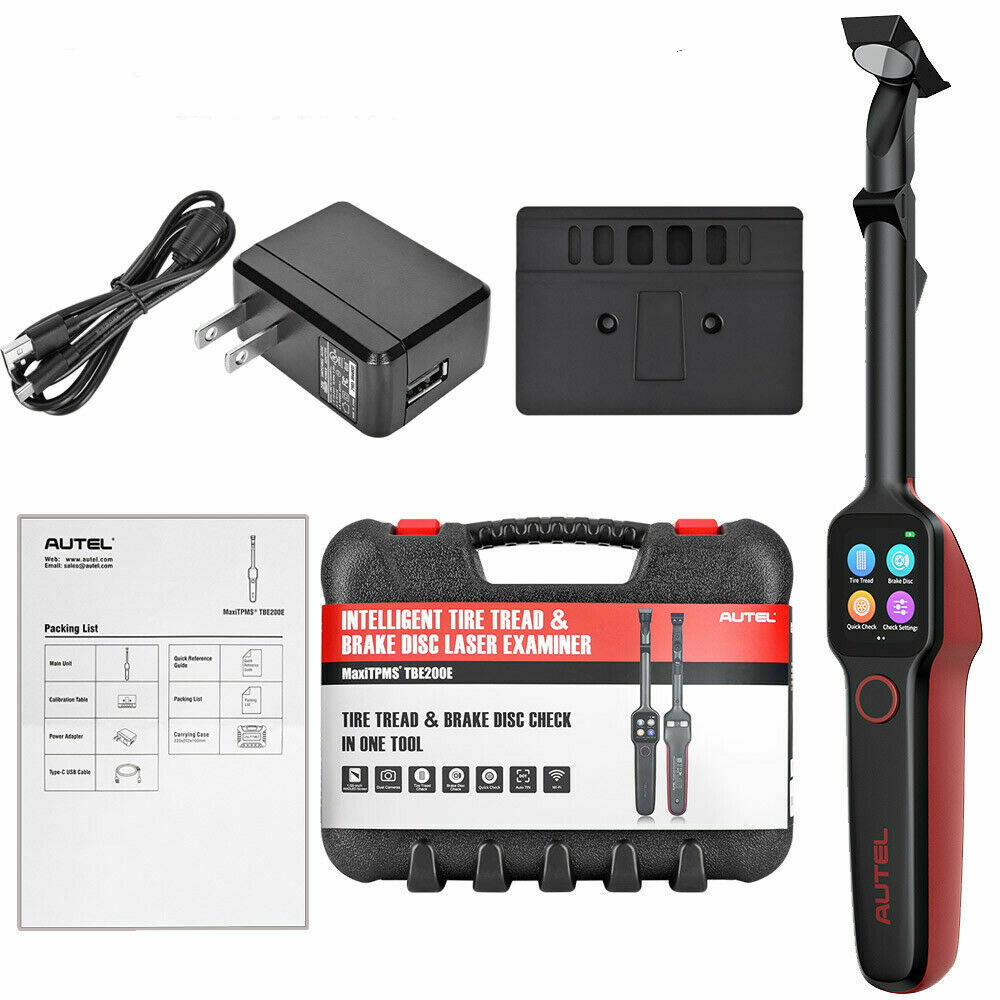
EU Ship NO Tax 2024 Autel MaxiTPMS ITS600E TPMS Relearn Tool Plus MaxiTPMS TBE200 Tire Tread Depth Brake Disc Wear Detector
Item No. AD188+AD189
In Stock.
History 210 sold.
Latest price: €1,079.00Buy Now: €856.00
21% off
Autel Subscription Promotion
New Arrival Autel MK900 vs MP900 Series Tools
Need Better Price, Please Contact:
Email: sales@AutelShop.de
Whatsapp: +86-13429866263
New Arrival Autel MK900 vs MP900 Series Tools
Need Better Price, Please Contact:
Email: sales@AutelShop.de
Whatsapp: +86-13429866263
Shipping:
Free Shipping
Express Shipping ServiceEstimated delivery time: 3-5 Days.See details »
Weight:
5.0KG
Returns:
Return for refund within 7 days,buyer pays return shipping. Read details »
Product Description
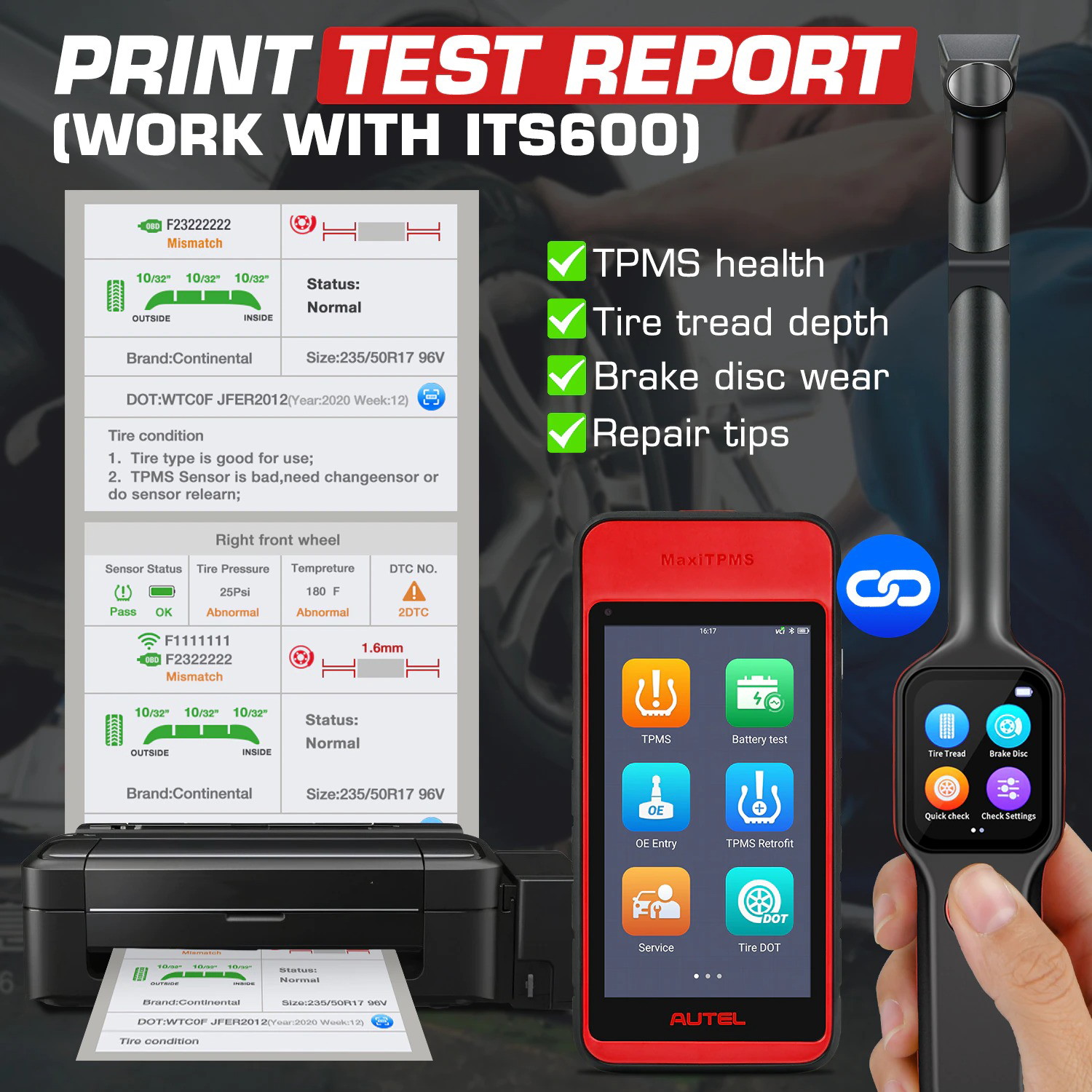
Autel ITS600E features an enhanced TPMS status screen, VINscan for rapid vehicle identification, four MX-Sensor programming options, OBDII relearn functionality and onscreen relearn instructions for all vehicles. With TBE200 dual cameras enable users to document tire wear and damage and scan Tire Identification Number (TIN). Use the TBE200 with ITS600, you can view and print detailed TPMS reports.
Autel MaxiTPMS ITS600E plus MaxiTPMS TBE200Autel ITS600E features an enhanced TPMS status screen, VINscan for rapid vehicle identification, four MX-Sensor programming options, OBDII relearn functionality and onscreen relearn instructions for all vehicles. With TBE200 dual cameras enable users to document tire wear and damage and scan Tire Identification Number (TIN). Use the TBE200 with ITS600, you can view and print detailed TPMS reports.
Autel ITS600E Highlights:
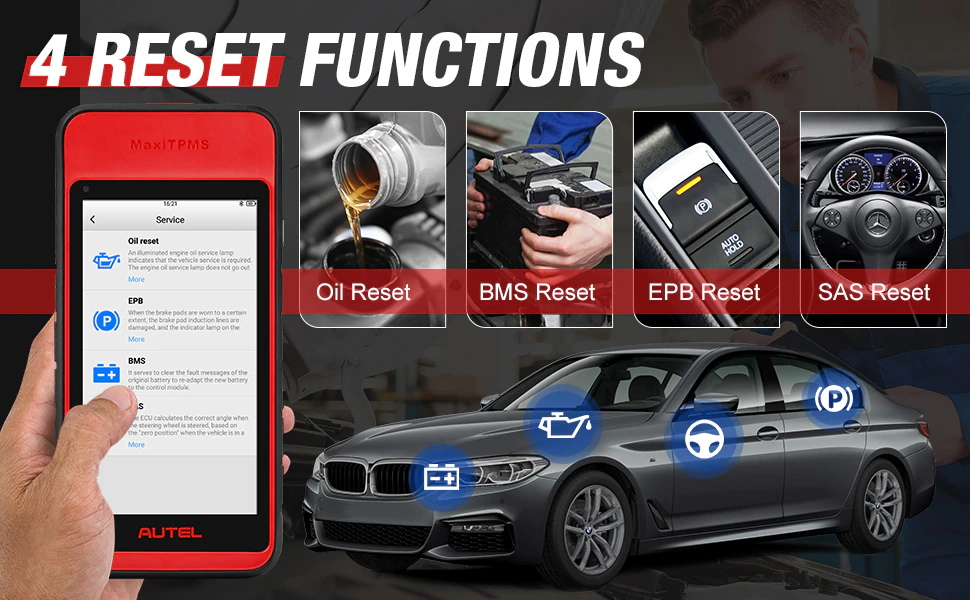
1. 4 Common Used Reset Functions: Oil Reset, EPB Reset, BMS Reset, SAS Reset.
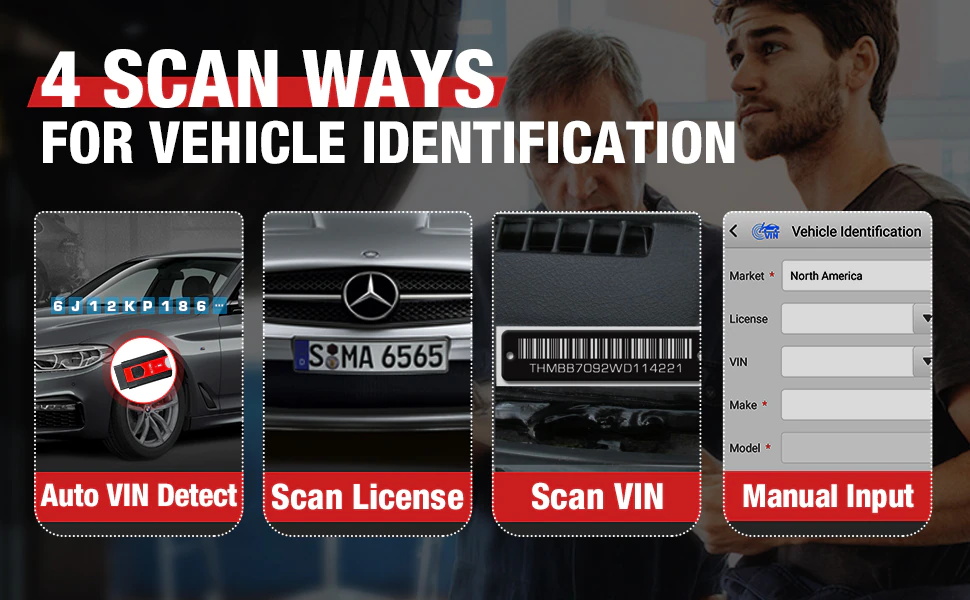
2. 3 Quick Vehicle Identification Ways: Auto VIN, Scan License, VIN Scan.
3. Compatible with American, Asian, and European vehicles with TPMS system
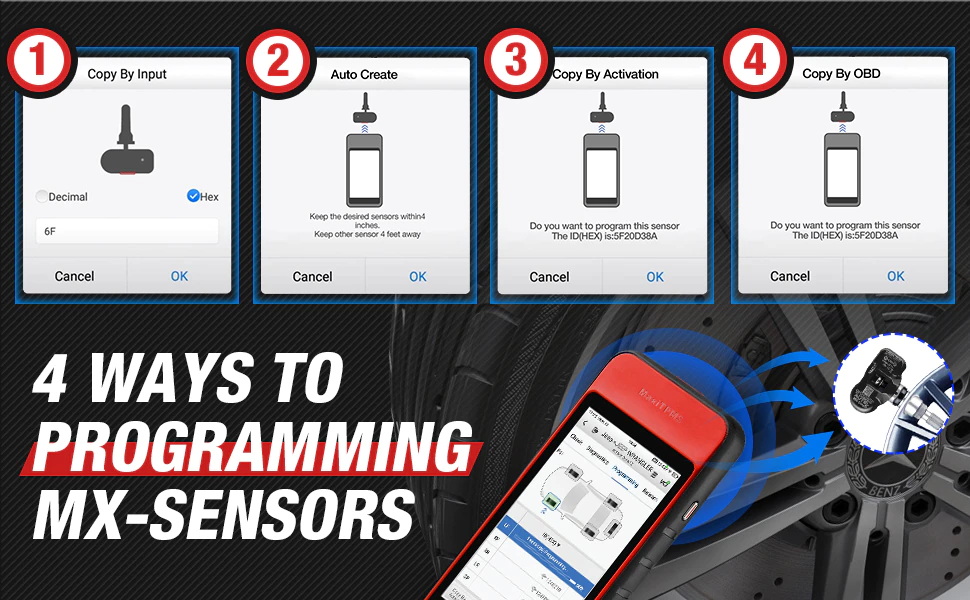
4. 4 Sensors Programming Options: Copy by Activation, Copy by OBD, Manual Input, and Auto Create; batch program up to 20 MX-Sensors
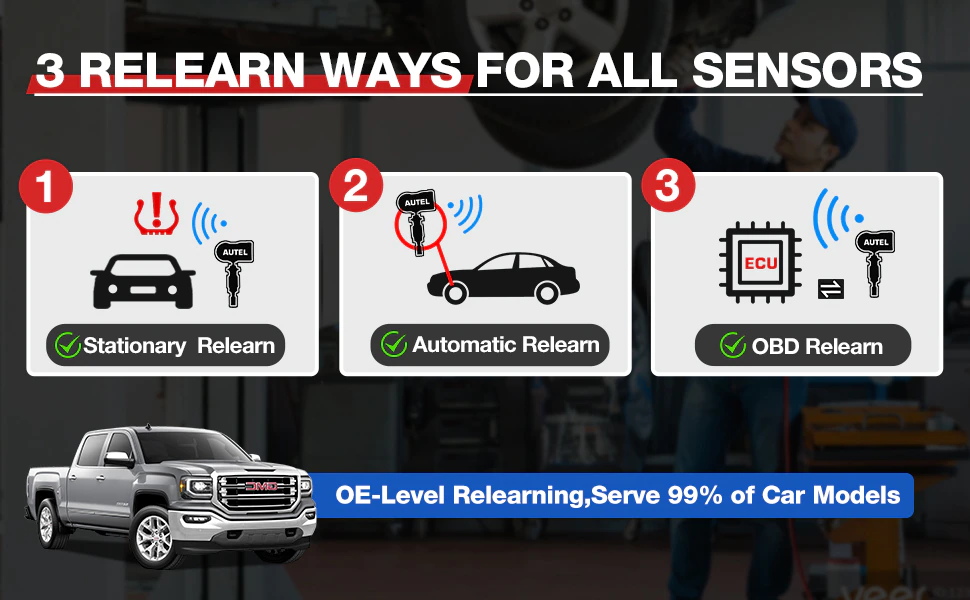
5. 3 Ways to Relearn OEM Sensors: Stationary Relearn, Automatic Relearn, OBD Relearn [Fast OBDII relearn works for most vehicles]
6. Multi-Language Supported: English, French, German, Spanish, Portuguese, Dutch, Polish, Swedish, Korean, Japanese, Russian, Italian
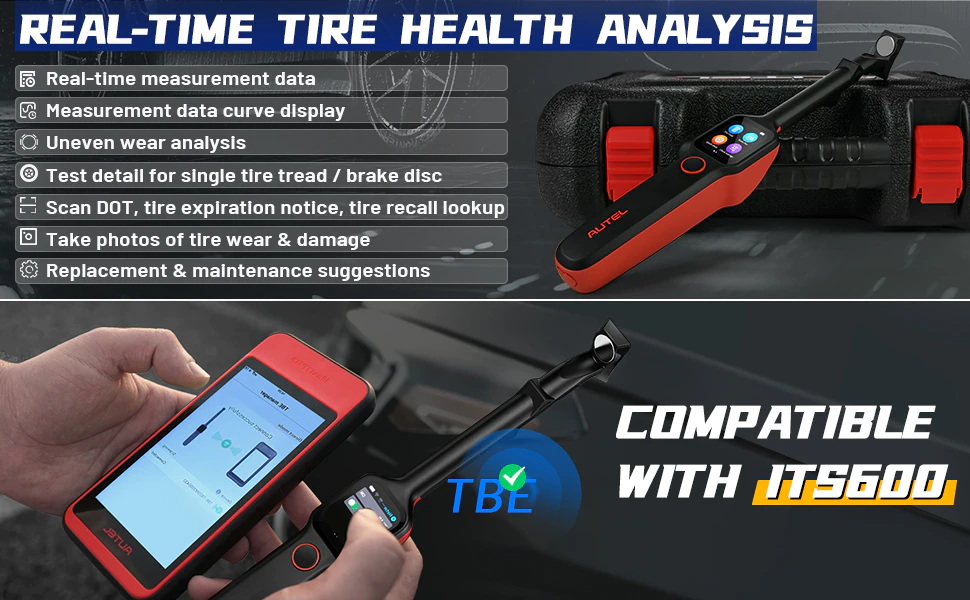
7. Expanded TPMS Functions: Provides DOT number scan, tire expiration notice, tire recall, tire tread & brake disc wear detection. (Work together with MaxiTPMS TBE200/ TBE100).
Updates in 2022, More Newer Vehicles Added:
1. Adds diagnostic support for 47 models in EU region including BMW i4 (2021/01-2022/12), Mercedes C Class (2021/01-2022/12), Hyundai i20 N (2021/10-2022/12), and Alpina B8 (2021/01-2022/12).
2. Adds diagnostic support for 61 models in US region including Ford F-150 (2021/01-2021/12), Chevrolet Tahoe (2021/01-2021/12), Nissan Frontier (2022/01-2022/12), and Jeep Wrangler (2022/01-2022/12).
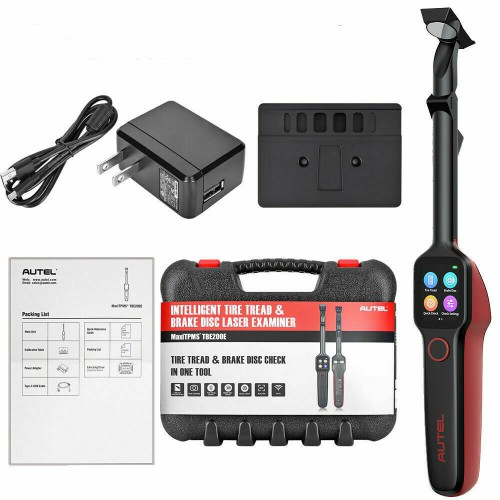
MaxiTPMS TBE200E Highlights:
1. Full Tire Tread Depth and Brake Disc Wear Check 2 in 1
2. Laser Measurement Without Having to Remove Tires.
3. Use with ITS600 to View and Print Detailed TPMS Report.
4. 2 Test Modes Available to Test Single Tire or Comprehensive Four Tires.
5. Uneven Wear Analysis Without Measuring Different Parts for Several Times.
6. Multi-Language Supported: English, French, German, Spanish, Portuguese, Dutch, Polish, Swedish, Korean, Japanese, Russian, Italian
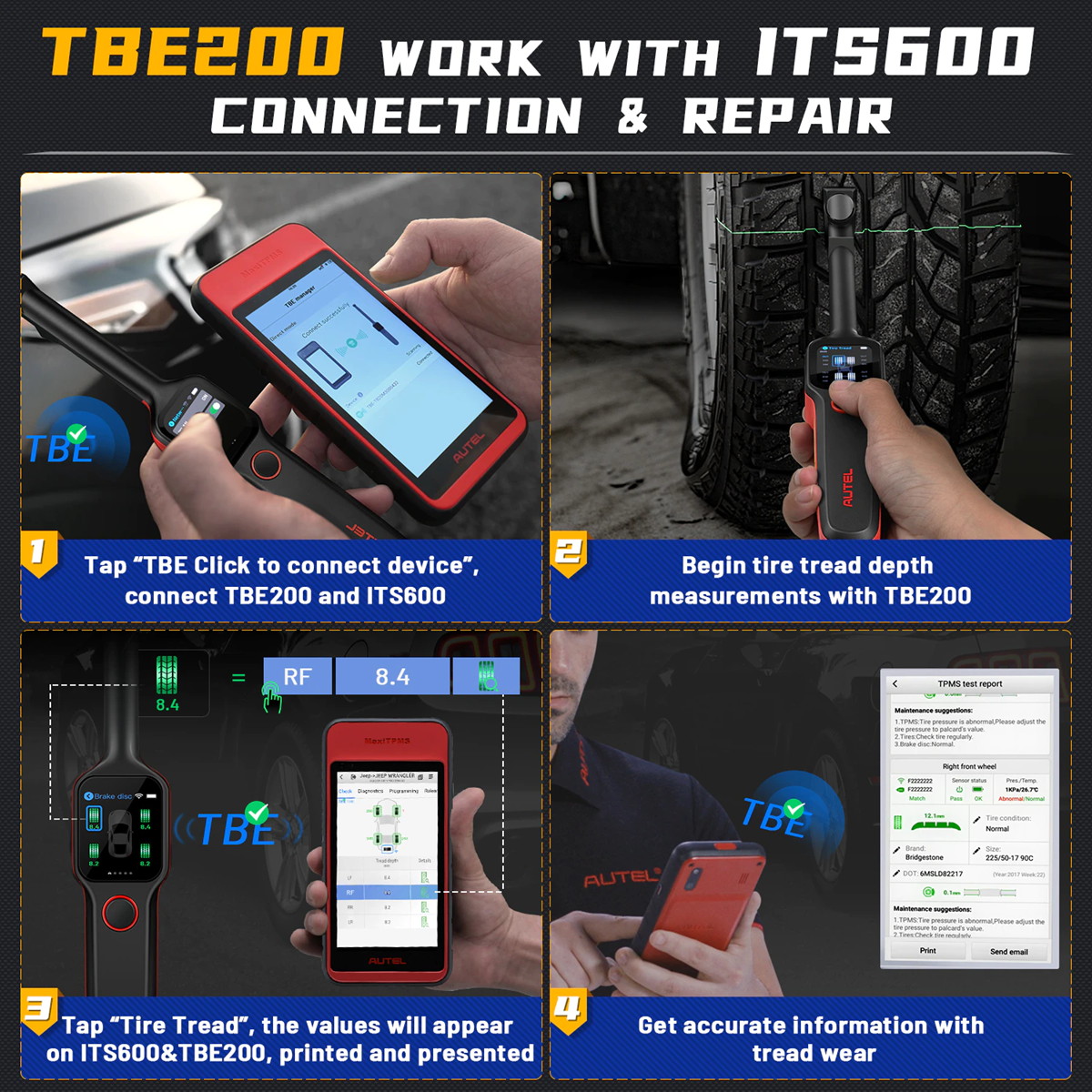
Autel ITS600E Functions:
1) 4 Programming Options: Copy by Activation, Copy by OBD, Manual Input, and Auto Create
2) 4 Common Used Reset Functions: Oil Reset, EPB Reset, BMS Reset, SAS Reset.
3) 3 Relearn Methods: OBD Relearn, Automatic Relearn, and Stationary Relearn.
4) 3 Quick Vehicle Identification Ways: Auto VIN, Scan License, VIN Scan.
5) Activating: Trigger all the 315/433MHz TPMS sensors and read sensor information.
6) Compatible with American, Asian, and European vehicles with TPMS system.
7) Expanded TPMS Functions: ITS600E diagnostic scanner also provides DOT number scan, tire expiration notice, tire recall, tire tread & brake disc wear detection.(Work together with MaxiTPMS TBE200E/TBE100E).
8) TPMS Diagnostics: Scan TPMS ECU modules, locate vehicle problems and recover normal performance.
MaxiTPMS TBE200E Functions:
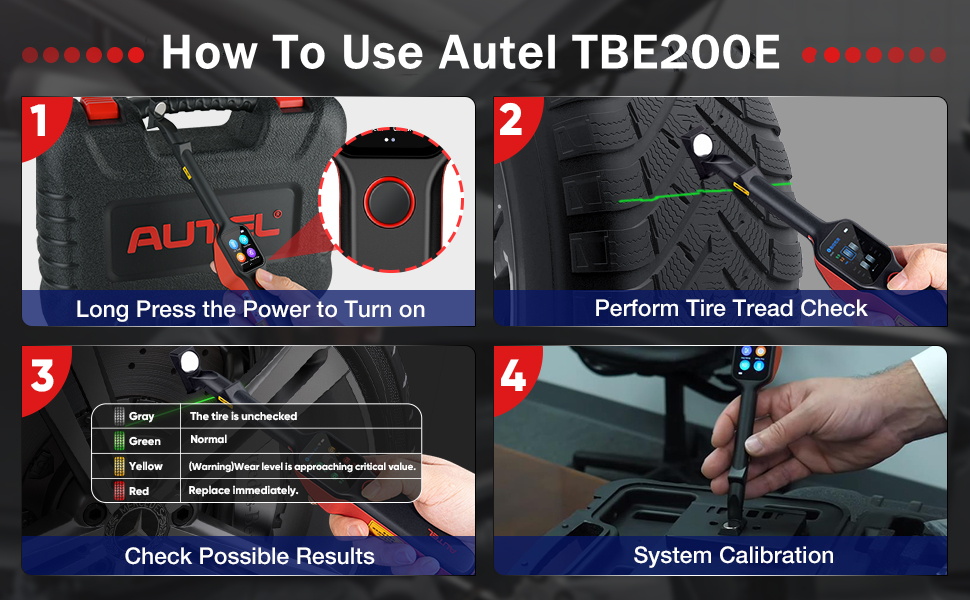
1) Tire Tread Depth
Using laser technology, the tire tread application analyzes the wear of the tires on vehicles without removing the tires. Place the tool on the tire, and the tool projects a laser beam. The wear measurement is then sent to the display screen with an accuracy within 0.1mm. Measurements are also displayed graphically. The Tire Tread application provides two types of checks: "All Treads" and "Single". When using this application, a message will be displayed to prompt users to choose between the current mode and the alternative one.
2) Brake Disc Check
This function allows the brake rotor surface wear to be measured. Place the tool’s magnetic tip on the rotor 90 degrees so the laser will span from the hub and the edge of the disc. Swiping left will display the information for each brake rotor. If the figure 0.1 is showed on screen, it refers to the amount of surface wear on the brake rotor. It is 1/10TH of a millimeter. The typical threshold for replacement is 1.0mm of material worn off the surface. So these rotors are in great condition.
Package List:
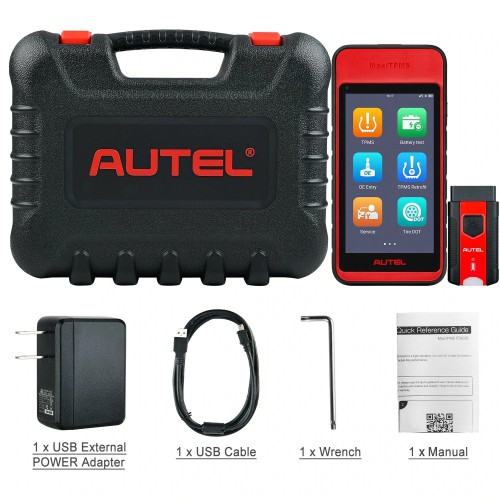
1set x Autel ITS600E
1set x MaxiTPMS TBE200E
Whatsapp: +86-13429866263
Shipping Method and Delivery Time:
UK, Czech and DE Warehouse Shipping: 3-7 Working Days. Fast Delivery & Tax Free.
UK Check: Ship from UK
EU Check: Ship from DE/ Czech
Yanwen Express: 7-10 working days. No Tax or remote cost for European Countries.
Standard Post: 7-15 working days. To South America and Africa countries it may take 20-25 working days. Customers can tick Express Shipping Service to ship by DHL.
DHL Shipping from Shenzhen Warehouse: 3-5 working days. Usually we declare a lower value on DHL invoice to help with customs clearance. If address belongs to remote area, customer will need to pay remote handling cost or we can change to ship by EMS. Please remember to leave message if you have any special requirement.
Shipping Method and Delivery Time:
UK, Czech and DE Warehouse Shipping: 3-7 Working Days. Fast Delivery & Tax Free.
UK Check: Ship from UK
EU Check: Ship from DE/ Czech
| From | Shipping To | Delivered Within | Delivery Methods |
| Germany/ Czech | Germany, France, Spain, Netherlands, Finland, Sweden, Austria, Belgium, Bulgaria, Croatia, Czech Republic, Denmark, Estonia, Greece, Hungary, Ireland, Latvia, Lithuania,Luxembourg, Malta, Poland, Portugal, Republic of Cyprus, Romania, Slovakia, Slovenia, | 5-7 Days | Royal Mail/ DHL |
Yanwen Express: 7-10 working days. No Tax or remote cost for European Countries.
Standard Post: 7-15 working days. To South America and Africa countries it may take 20-25 working days. Customers can tick Express Shipping Service to ship by DHL.
DHL Shipping from Shenzhen Warehouse: 3-5 working days. Usually we declare a lower value on DHL invoice to help with customs clearance. If address belongs to remote area, customer will need to pay remote handling cost or we can change to ship by EMS. Please remember to leave message if you have any special requirement.